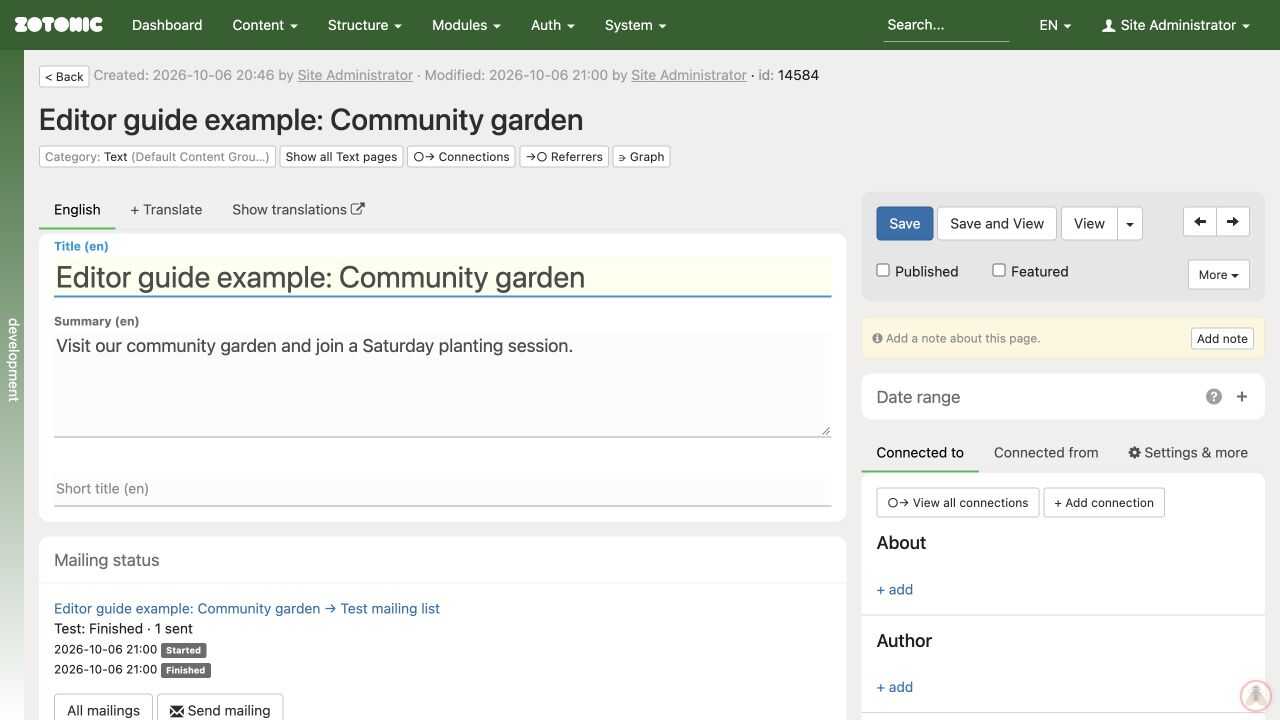
The admin interface
Know where to find pages, editing controls, and settings.
The admin is the part of your website used to manage content.
- Dashboard shows recent changes and shortcuts to pages and media.
- Content opens content overviews and tools available on your site.
- Search helps you find existing pages.
- The edit page contains the title, summary, body text, attached media, and connections.
- Save, Save and View, and Published control saving and publication.
On the current admin, the right-hand side has Connected to, Connected from, and Settings & more tabs. Open Settings & more for the publication period, page settings, and optional tools. Older versions may show these panels directly.
Click a panel heading to expand it. Use View to open the website version of a saved page. Some content types have no public page of their own.