User guide
Browse by topic
Explore related documentation through its most useful keyword groups.
108 items
Grouped by Domain
Organizing links and content into menus and navigational structures.
Explore this clusterDesigning collecting and reporting questionnaire responses.
Explore this clusterMaking content visible available and addressable to its intended audience.
Explore this clusterManaging files and media resources throughout their lifecycle.
Explore this clusterCollecting validating and processing structured user input.
Explore this clusterCreating and editing content and its properties through an interface or API.
Explore this clusterAdapting interfaces and content for languages locales and regional conventions.
Explore this clusterConnecting resources with typed semantic relationships.
Explore this clusterSending queuing relaying and tracking outgoing email.
Explore this clusterDocumentation not covered by the other keyword groups in this split.
Explore this clusterChoose field types, set required answers, and keep question names stable.
Leave a short note for other editors.
Reuse an image instead of uploading a second copy.
Attach a lead image or other media used by the page layout.
Offer clear choices while preserving the values used in stored answers.
Create a navigation entry for an existing page.
Add structured sections when your site provides them.
Place an image between or beside paragraphs.
Connect a page to its subjects.
Link readers to another page, website, or email address.
Manage the languages of an individual page.
Add supported online media or a video file.
Find and repair the link at its source.
Protect the meaning of existing responses when a form changes.
Understand slugs and paths before changing an address.
Change the kind of content without making a new page.
Put connected pages or media in the intended sequence.
See what happened after a mailing was started.
Describe what kind of content a page contains.
Set repeat submissions, saved progress, limits, and the final screen.
Work with a group when your site supports group-based content.
Link an article to an author, subject, or another page.
Know who created content and who is responsible for it.
Use existing text as a starting point for a translation.
Prepare the page that will become your email.
Group pages into an ordered set.
Start a new page with the right category and language.
Mark correct answers, set scores, and choose the feedback respondents see.
Set up an account when your role allows user management.
Place a menu entry under another entry.
Create an unpublished survey and give respondents a clear introduction.
Remove a page that is no longer needed.
Export answers and check what information the file contains.
Choose between a new copy and a connection to existing content.
Change existing content and check the result.
Find the menu that your website displays.
Suggest which pages deserve attention.
Find a page without creating a duplicate.
Locate the right file in the media library.
Make body text easy to scan and read.
Understand translated fields on one page.
Choose the right tool for organizing a page.
Take the next step without overwriting more content.
Adjust an image inserted in the body text.
Transfer a list of email addresses.
Use the admin to keep your website up to date.
Request that search engines leave a page out of their results.
Check links to translated content.
Provide useful text for readers who cannot see an image.
Keep a mailing list accurate.
Understand shared files and page images.
Choose navigation or an ordered group of content.
Understand why a page may show text in another language.
Change the order and position of navigation entries.
Check saving, language, and the page being displayed.
Understand why people, images, and articles share an editor.
Write a useful title and description for search and sharing.
Check a saved page before visitors see it.
Understand the separate decisions behind a visible page.
Understand the dates that control availability.
Make a page available or take it out of public view.
Help readers reach replacement content.
Remove a navigation entry while keeping its page.
Choose the right way to remove content.
Remove an image from one page or delete the shared item.
Update a media item while keeping the item itself.
Give maintainers enough information to reproduce and assess the request.
Read submitted answers, add internal status notes, and make deliberate corrections.
Choose when an email mailing should start.
Prepare a page to appear at a future time.
Distinguish public access from search indexing.
Check available languages and translation completeness.
Review the audience and email before the full send.
Check an email with a small, controlled test.
Notify the responsible team and tell respondents their form was received.
Make useful pages easy to understand and discover.
Check how a page looks when its link is shared.
Group questions and show respondents only the sections they need.
Use surveys for feedback, registrations, simple requests, polls, and quizzes.
Check the entire respondent journey before sharing the form.
Know where to find pages, editing controls, and settings.
Put each part of your text in the right field.
Add and review text in another language.
Recognize the different kinds of content you can edit.
Read outgoing and incoming page connections.
See how resources, categories, predicates and collections fit together.
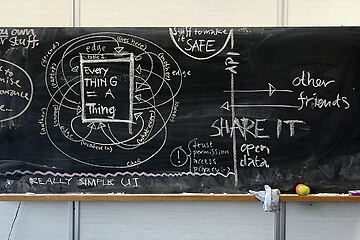
Add a new image to the media library.
Offer a PDF or another file for readers to download.
Resolve a rejected file upload.
Understand the difference between a person page and an account.
Recover an earlier saved version when revision history is available.
Understand why available actions differ between editors.
Separate a content type from a topic or a folder.
Understand how separate content works together.
Check publication and access separately.
Check your account and the page before requesting help.
Clear filters and check access before creating another copy.
Update the translation and check fallback text.
Check the media item and how the page uses it.
Check navigation separately from publication.