Your first page
Create, check, and publish a simple page.
Use this short exercise for a new page that you are allowed to publish.
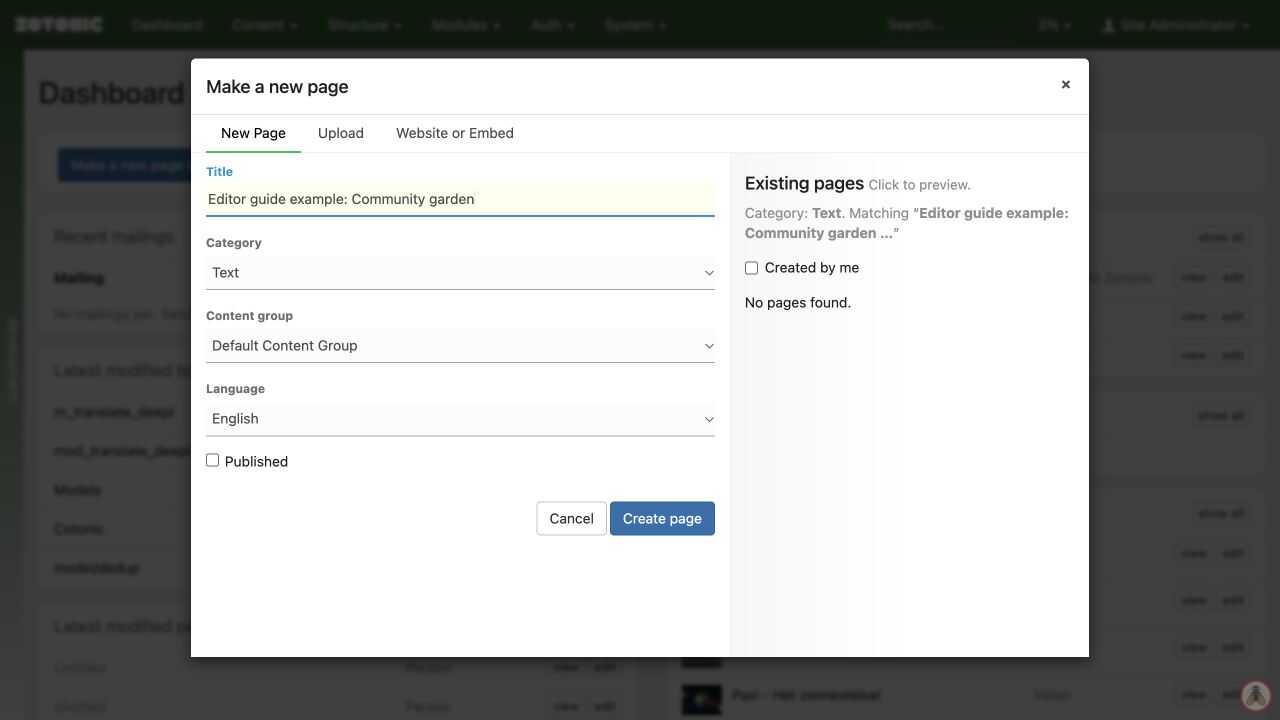
- On the dashboard, click Make a new page or media.
- Enter a clear title and choose the appropriate category, such as Text.
- Leave Published unchecked and click Create page.
- Write a short summary and a few paragraphs in Content.
- Click Save, then View to check the saved page while logged in.
- Return to the edit page, check Published, and click Save when the page is ready.
- Open the page in a private browser window to check what a visitor sees.
Publication also depends on the publication period and access settings. A new page does not automatically appear in a menu.
Check before sharing
Read the saved page on a narrow screen. Follow every link and check that images have useful descriptions. If a private window shows a login page or an error, finish the publication and access checks before sharing the address. For a practice page, unpublish it when the exercise is finished.