Text
Browse by topic
Explore related documentation through its most useful keyword groups.
1370 items
Grouped by Architecture
A named transformation applied to a value inside a template expression.
Explore this clusterA typed event or request exchanged between decoupled Zotonic components through the notifier.
A namespaced interface for retrieving or changing data and invoking operations in Zotonic or browser-side components.
Explore this clusterAn OTP application or site component that adds Zotonic behavior templates data and configuration.
Explore this clusterA server-defined browser action or event binding connected through Zotonic wires.
Explore this clusterA server-side template_compiler document that renders data into HTML text email or another representation.
Explore this clusterA route declaration that matches a URL pattern and selects a controller with arguments.
Explore this clusterA request handler that maps web requests to responses and coordinates authorization rendering or data transfer.
Explore this clusterThe central Zotonic entity that represents content users media categories and other addressable objects.
Explore this clusterDocumentation not covered by the other keyword groups in this split.
Explore this clusterUse the current resource rather than parsing its URL.
Override the error template while preserving the response status.
Set up an account when your role allows user management.
Start with a working site, reusable templates and the standard media pipeline.
Use an admin widget and the existing resource form.
Enable an installed module on one site and verify the result.
Return a fixed local destination from the current signup notification.
From the checkout root:
Reset a normal user identity when the usual recovery flow cannot be used.
Forward HTTP and WebSocket traffic with a narrow trust boundary.
Wrap a maintained Zotonic action instead of assembling JavaScript strings.
Use resource IDs, media metadata and consistent responsive-image descriptors.
Keep source files such as SCSS in priv/lib-src and compiled assets in priv/lib. Use an app-level Makefile that delegates asset work to the source directory's…
Create a pivot column and fill it through the custom_pivot notification.
Build, inspect, and maintain Zotonic sites and modules.
The checkout is an Erlang umbrella project: one build contains many applications.
Choose checks for a change.
Keep development and production settings distinct.
Give maintainers enough information to reproduce and assess the request.
Use a current search notification and let Zotonic apply resource visibility.
Create and check the database used by a native development installation.
Common markup in admin templates.
Use the current signup notification and make follow-up work repeatable.
Start a foreground Zotonic process under the host service manager.
Set a visible value without duplicate element IDs.
Extract repeated markup into a partial and pass its inputs explicitly.
Define reusable image sizes in priv/templates/mediaclass.config and use them in image tags. For example, a local mediaclass can constrain an image's width:
Run bin/zotonic status to distinguish an unavailable node from a stopped or failing site. Inspect the relevant startup log before repeatedly restarting it.
Use scomp#wire to connect a browser event to an action or a server postback. Give the target element a stable ID within the rendered page.
Add a gen_server and verify that its supervisor restarts it.
Override the smallest category-specific admin component.
Keep UTF-8 characters intact while transforming user text.
Enable module#mod_server_storage if the Development page says it is needed for database tracing. On the Development page, enable Trace all database queries for…
Use controller_template when a dispatch rule only needs to render a template. Write a custom controller when the endpoint needs additional request processing…
Create apps_user/zotonic_mod_garden with the following files. This example adds a discoverable module without starting an extra process.
Choose a survey form or implement a validated server-side mail handler.
Log the operation and its result with structured fields. Include an identifier that helps connect the message to a resource or job, without logging credentials…
Use the maintained growl action with the normal browser assets.
Find the active template and its path relative to priv/templates. Create the same relative path in your site or another active module with a higher selection…
Create the garden blog, open it in your browser, and sign in to its admin.
Use scomp#wire to connect a browser event to an action or a server postback. Give the target element a stable ID within the rendered page.
Use the form parser deliberately and distinguish it from direct property updates.
Use semantic form controls with labels and meaningful names. Add Zotonic validators for immediate feedback, then validate the submitted values again at the…
Pass values explicitly and keep browser code in the supported script tag.
Use a filter for a small transformation of an input value. Keep missing and unexpected values predictable, and escape output at the point where it becomes HTML.
Prepare an environment and deploy a release with a recovery plan.
This is the Zotonic Developer Guide. It takes you through all aspects of Zotonic so you can start building your own sites as quickly as possible.
Configure the installed Logger handler and verify delivery.
Find the notification definition and inspect its callers before implementing an observer. The notifier operation determines whether observers collect results
Use an existing site base template as your starting point. Put shared document structure in the base and page-specific markup in blocks.
Query arguments and terms for searching pages using the search APIs.
Add a plain-text callout block using current admin field names.
Terminate public traffic at a reverse proxy while Zotonic stays unprivileged.
Connect one image and render it without constructing inline CSS from input.
Choose one installation route, start Zotonic, create a site, and make your first visible change.
Set a relay at the correct scope and test a real site message.
Upgrade notes
Reuse the maintained authentication flow and override its presentation.
Use a small active module or site template override.
Start with the URL that gives an unexpected result. Check its hostname: Zotonic uses it to select a site before matching the site's dispatch rules.
See how resources, categories, predicates and collections fit together.
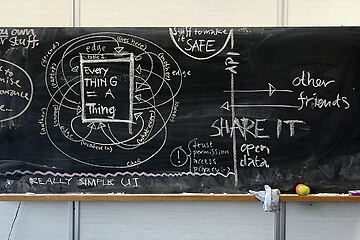
The status site manages the running Zotonic installation. A site's /admin manages that site's content and enabled modules. They have different scopes and can…

Create src/models/m_garden.erl in the Garden module. This complete example exposes a public greeting:
Build a small standalone OTP application using Erlang/OTP 28 and Rebar3.
Render escaped text through the current zotonic_scomp behaviour.
Write the source text in English and mark static interface text for translation.
Build and run Zotonic with its development containers, then create a site.
Create apps_user/zotonic_mod_garden with the following files. This example adds a discoverable module without starting an extra process.
Welcome to Zotonic 0.63.0, released on Oct 29, 2021.
Welcome to Zotonic 0.62.0, released on July 7, 2021.
Welcome to Zotonic 0.61.0, released on June 7, 2021.
Welcome to Zotonic 0.60.0, released on February 15, 2021.
Welcome to Zotonic 0.59.0, released on December 18, 2020.
Welcome to Zotonic 0.58.0, released on November 2, 2020.
Zotonic is a modern and extensive content management system. It has its roots in systems before it and carries the lessons learned from those systems.

Welcome to Zotonic 0.54.3, released on August 31, 2020.
Welcome to Zotonic 0.56.3, released on August 31, 2020.
Welcome to Zotonic 0.54.2, released on August 4, 2020.
Welcome to Zotonic 0.56.1, released on June 16, 2020.
Welcome to Zotonic 0.54.1, released on June 16, 2020.
Welcome to Zotonic 0.57.1, released on May 19, 2020.
The Zotonic core system implements the basic parts needed for every site.
Welcome to Zotonic 0.57.0, released on May 11, 2020.
Welcome to Zotonic 0.56.0, released on April 23, 2020.
Welcome to Zotonic 0.55.1, released on March 16, 2020.
Welcome to Zotonic 0.55.0, released on March 12, 2020.
Welcome to Zotonic 0.54.0, released on February 4, 2020.
Welcome to Zotonic 0.53.0, released on December 10, 2019.
Welcome to Zotonic 0.52.0, released on November 6, 2019.
Welcome to Zotonic 0.51.2, released on September 26, 2019.
Welcome to Zotonic 0.51.1, released on September 13, 2019.
Welcome to Zotonic 0.51.0, released on August 26, 2019.
Welcome to Zotonic 0.50.0, released on June 27, 2019.
Welcome to Zotonic 0.49.2, released on May 15, 2019.
Welcome to Zotonic 0.49.1, released on May 8, 2019.
Welcome to Zotonic 0.49.0, released on May 6, 2019.
Welcome to Zotonic 0.48.1, released on 12 April, 2019.
Welcome to Zotonic 0.48.0, released on 9 April, 2019.
Welcome to Zotonic 0.47.0, released on 4 March, 2019.
Welcome to Zotonic 0.46.0, released on 15 February, 2019.