Translating a page
Add and review text in another language.
- Open the page and save any current changes.
- Click + Translate.
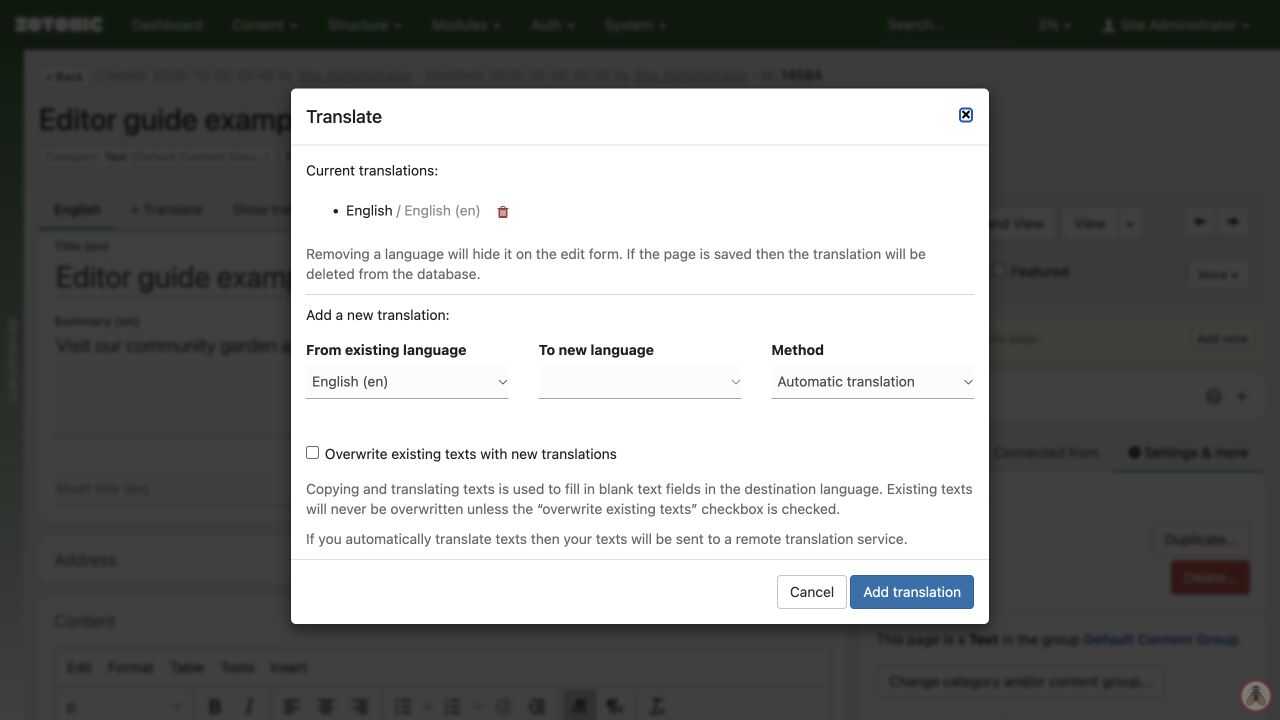
- Choose From existing language and To new language.
- Choose Copy texts, Leave texts empty, or Automatic translation if available.
- Click Add translation.
- Open the destination language tab, translate or review every field, and Save.
- View the page in that language and test its links.
Copying provides a starting point; it does not translate the text. Automatic translation needs editorial review too. When offered, it sends the text to the configured translation service.
Existing destination text is preserved unless you select Overwrite existing texts with new translations. Use that option carefully.
On an already published page, saving a translation can expose the new text immediately. Agree on a review process before copying untranslated text into a language offered to visitors. Check shared fields and connections separately: changing an image or publication setting may affect every language.