Create and check a site backup
Request a backup and verify its completion and scope.
Access needed: Site backup permission; server access for command-line use.
- Open Modules → Backup and resolve any configuration warnings first. The service must be able to run the configured
pg_dumpand archive tools. - Choose Start backup now for the available full-backup mode. Use Start database-only backup now only when that narrower scope is intentional.
- Wait for completion and check the backup listing, timestamp, files, and any reported error.
- Copy or replicate the result according to the backup plan. Keep the encryption password separately recoverable if encryption is enabled.
- Record which database, configuration, media, and external-store protections are included.
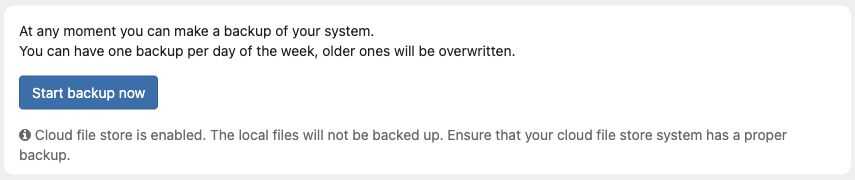
Read the scope warning before starting. This example site uses cloud file storage, so recovery of its media needs a separate backup plan.
With cloud file storage enabled, the admin warns that local files will not be backed up; arrange recovery of the external originals. Older daily backups can be overwritten by rotation.
With server access, bin/zotonic backup garden list lists backups and bin/zotonic backup garden start requests one. Confirm completion independently. Do not use backup download for inspection: it downloads and restores a backup.